Installing System Dependencies#
Your computer must have some minimal software packages installed before the SmartBots can be used. Linux and windows are both supported.
Note
A mainstream Linux distro is preferred since windows will require more troubleshooting and is generally difficult to work with.
Linux System Dependencies#
Git install for Linux#
The following packages are needed:
For Debian based distributions (Ubuntu/Mint/etc) these can be installed by running the following command in a shell:
sudo apt update && sudo apt install git python
For Arch based distributions (Arch/PopOS/Manjaro/etc) these can be installed by running the following command in a shell:
sudo pacman -Sy git python code
Check that python is installed, runnable, and the correct version by running the following in a shell:
python --version
which should report Python 3.12.10.
Python install for Linux#
TODO
VSCode install for Linux#
TODO
Windows System Dependencies#
The following packages are needed:
Git (will install “Git” as well as “Git Bash”.)
Git install for windows#
Download and install Git for windows.
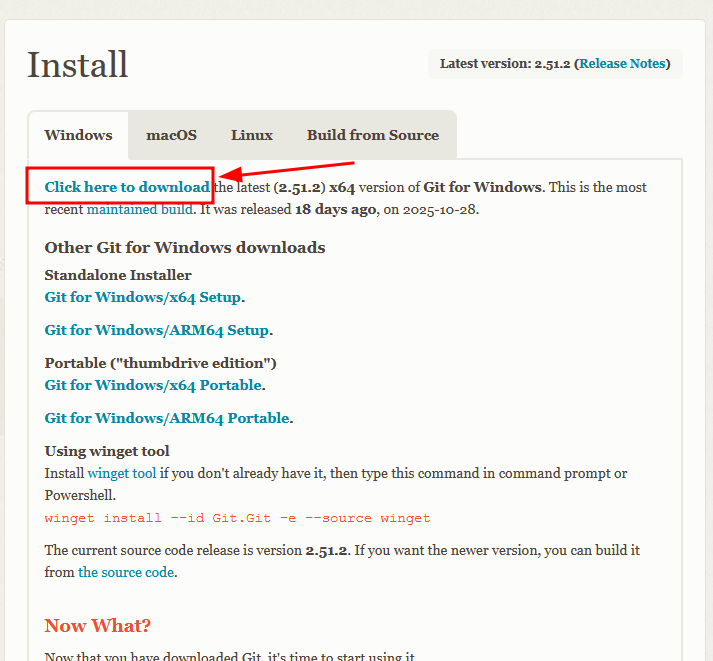
See the following gif for details if you are confused.
Python install for windows#
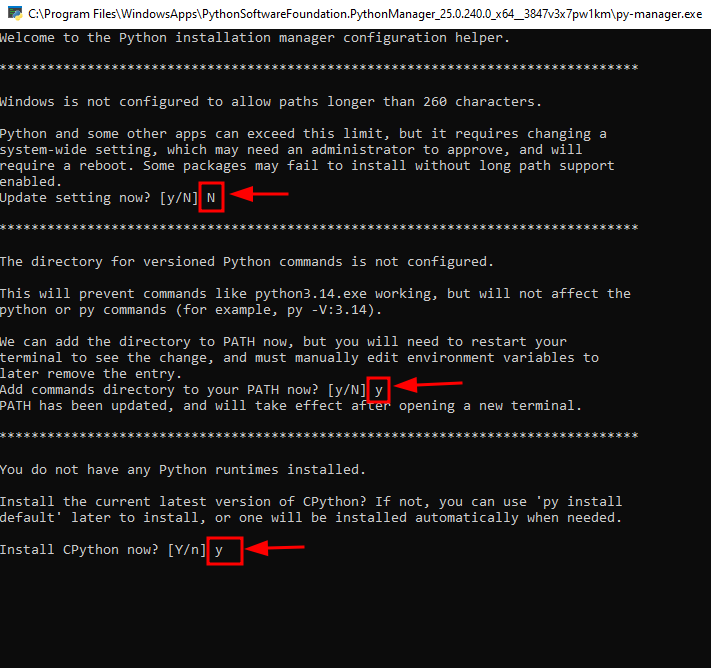
Install Python Install Manager. This will install Python3.14 automatically
Choose
ywhen prompted to add commands directory to your PATHCho0se
ywhen prompted to install the CPython runtime
Run
py install 3.12in a shellCheck that
python3.12was installed

Note
You may or may not have to remove the deprecated ‘Python Launcher’ from your system
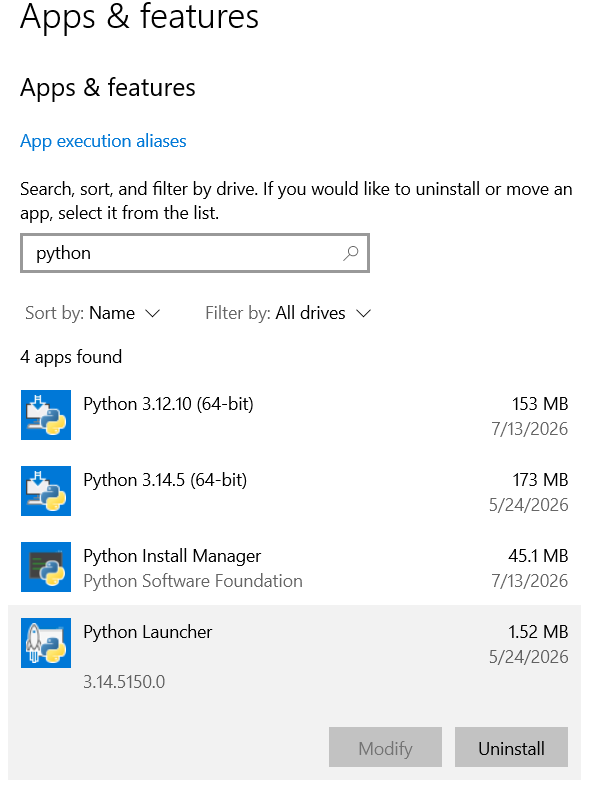
Then install python3.12 using the Python Install Manager by running the following command in a command prompt shell (CMD).
py install 3.12
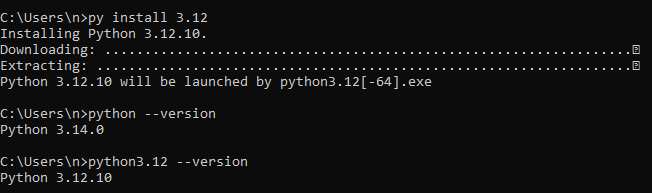
See the following gif for details if you are confused.
Check that python3.12 was installed correctly by running the following in a shell:
python3.12 --version
# Python 3.12.10
which should report Python 3.12.10.
VSCode install for windows#
Install like you would any program. If you are confused see the following gif for details.